

Monitor more than one access point
Distribute the cameras among the passages to be monitored simultaneously.


Keep the gate in the frame while you examine the driveway
Each camera has two 3 MP lenses. The first maintains the overview, while the second points toward the area to be examined. One Ethernet cable per camera carries the video and power to the PoE system.
Available in stock
Order processing within 24–48 business hours. Estimated delivery within 4–8 business days of ordering, including processing.


Payments are processed by payment providers over encrypted connections. Available payment methods are shown at checkout.

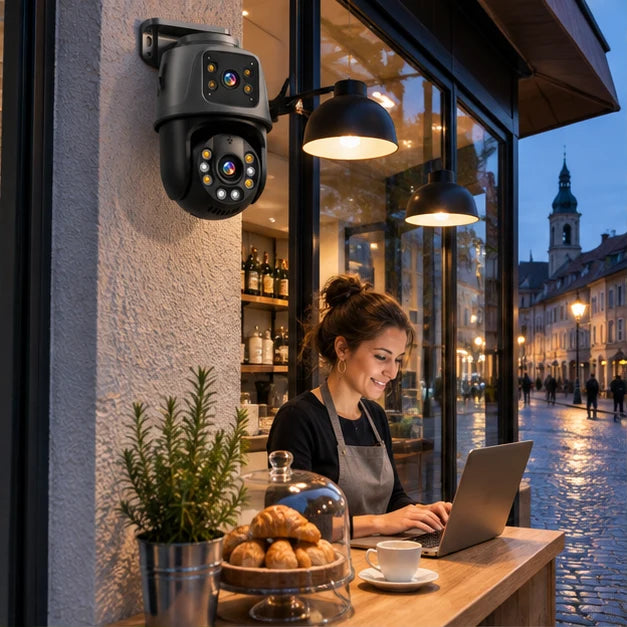
The dual lens combines two views of the monitored area. The PoE connection powers each camera via its network cable. Put together your kit with 2, 4, or 8 cameras and choose the NVR storage separately.
Compare the versionsDistribute the cameras among the passages to be monitored simultaneously.

PoE carries the video signal and power via the network cable.

The cameras connect to the same recorder so you can find your images again.

The second adjustable view allows you to look to the side of the passage.

Choose the NVR disk capacity based on the number of cameras.

Distinguish the fixed angle from the adjustable view when planning each location. The 6 MP rating corresponds to two 3 MP sensors. Then compare the number of cameras and the pack's storage capacity.

The fixed view keeps the gate in the frame. With the adjustable lens, you can look toward the garage while keeping an eye on the entrance.
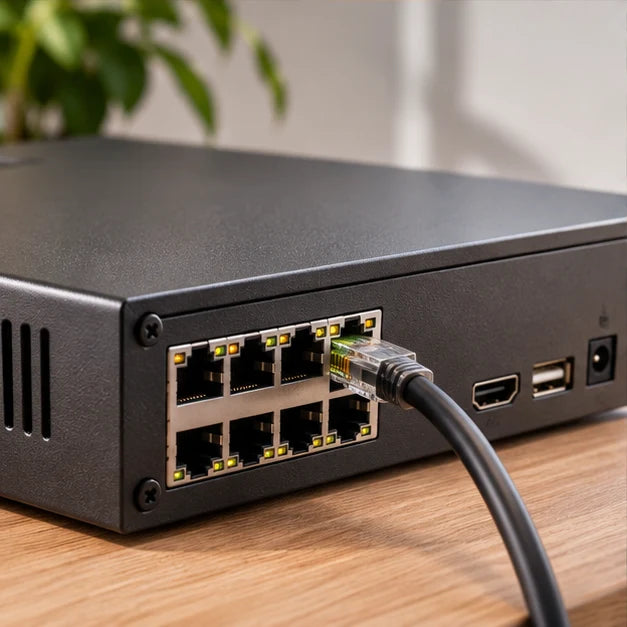
The NVR gathers the camera connections. One Ethernet cable to each carries the video and provides PoE power.
| Cameras | 2, 4 or 8 |
|---|---|
| Sensors | 2 × 3 MP per camera |
| Connection | PoE Ethernet |
| Disk | Without disk, 1, 2, 3, or 4 TB |
| Overview | Fixed lens to keep the passage in the frame |
| Adjustable view | Second adjustable lens to examine an area |
| Recorder | 8-channel NVR |
| Camera power supply | The PoE Ethernet cable carries data and power |
| Image per lens | 2,304 × 1,296 pixels, 3 MP |
| Motorized rotation | 355° horizontally, 90° vertically |
| Focal length | 3.6 mm |
| Video compression | H.265 |
| Monitor outputs | HDMI and VGA |
| Internal disk | 1 SATA port, up to 4 TB |
| Camera protection | IP66 |
| Two-way audio | Integrated microphone and speaker |
| Motion tracking | Automatic tracking with return to a preset position |
| Remote alerts | Smartphone notification and email alert |
| Mobile viewing | Android and iOS |
| Network cable length | 18 m |
| Mobile application | XMEye on iPhone and Android |
| Export a sequence | Backup to USB storage from the NVR |
From the same mounting point, the fixed lens maintains coverage of the frame while the varifocal lens monitors another area. A single Ethernet cable connects each camera to the NVR for video and power.


A vehicle enters while a person walks along the fence. The fixed lens keeps the gate in its frame. The second adjustable view allows you to examine the side of the passage from the same installation point.
From the monitor, follow a person entering and leaving the field of view. Spot the angle where the face is visible and keep a fixed identifiable point. This reference will help you find the scene during playback.
When you orient the mobile view toward the garage, the fixed view maintains its framing. You can thus follow a movement while keeping a reference point on the entrance.

One camera at each access point to see who arrives and monitor the comings and goings in front of the garage.
Keep an eye on the entrance, driveway, terrace, and side passage from the same recorder.
Extend monitoring to the yard, workshop, or a second gate, with a dedicated view for each location.
Each pack comes with a 1, 2, 3, or 4 TB disk to store your videos on site. The version without a disk accommodates your own compatible disk.
Choose my kit ↑The camera combines two 3 MP sensors. This architecture allows two angles to be combined at a single installation point.
Imagine the scene with the car parked and the gate open. If the door disappears behind an obstacle, plan for a second point of view. The accesses you want to see at the same time determine the useful number of cameras.
Choose a pack with a disk or equip the NVR with a compatible disk. The useful capacity depends on the number of cameras and the settings. After installation, test it by finding a specific passage in the recordings.
Ask someone to walk through the passage while you watch the image. Check that their face remains visible at the area that interests you. Start again at nightfall to spot reflections from a wall or gutter.
The PoE Ethernet cable carries both power and images. Measure the actual path from the recorder following the walls and around corners. Each camera needs its own network path.
It centralizes the images on a single device. Place it indoors in an accessible location to view the videos and access the disk. Give the views concrete names like "driveway" or "garage" to find them quickly.

Clear information, secure checkout and support by email.
We help you choose products that suit your home.
Free returns within 30 days, subject to our return policy. Applicable statutory rights are unaffected.
Delivery estimates vary by product and shipping location. Please refer to the US delivery estimate on the product page. Order processing takes 1–2 business days.
Payments use an encrypted connection. Available payment methods are shown at checkout.

Track your package at every step using the link provided in your shipping email.

Changed your mind? Return your product for free, with no hidden fees or conditions.

Transactions secured by SSL encryption – Visa, Mastercard, PayPal, Apple Pay.

Email support: support@homegard24.com. Every day, 8:00 a.m.–8:00 p.m. (Paris time).

Responsive team at your service by email

Add to cart, check out, receive. We’ll take care of the rest.

Thousands of homes already protected with Homegard.


